
Scam Hunting by Lena Yu

At the recent GCC (Global Cybersecurity Camp) event, I had the opportunity to attend an unofficial workshop led by Lena Yu titled “How to Hunt Undiscovered Scams”. Despite not being part of the official program, the session proved to be highly informative and engaging.
So, picture this: a group of us huddled around a laptop, led by Lena Yu, diving into the depths of the internet to hunt down undiscovered scams. Lena, with her savvy insights, guided us through the process with ease.
First up, we delved into the world of open source intelligence (OSINT). We used all sorts of tools to sift through the digital noise and uncover potential scams lurking in the shadows.
Once we had our suspects lined up, it was time for phase two: analyzing those sus links. We meticulously examined each link, checking for signs of malicious activity.
Throughout the session, Lena shared invaluable advice on how to stay safe in the online jungle. It’s a wild world out there, folks, and knowing how to navigate it safely is key. I couldn’t help but feel grateful for Lena’s expertise and willingness to share it with us.
In the end, it was both eye-opening and strangely satisfying to uncover these hidden dangers lurking in the digital underbelly.
This is a brief summary of the session’s events.
Phase One: Finding Scams
We searched through some common scam links sites, here are the ones we found
1. Temporary Phone numbers 📎
- These are the burner/public phones, which are utilized in a manner similar to how we occasionally get around the authentication procedure by obtaining OTPs via temporary mail ids.
- These are public numbers, therefore scam connections are frequently visible.

- These are quite susceptible to scams and a prime location for them to operate.
2. Twitter 📎
- Easiest way is to search for hashtags like #Fraud, #scam, #phishing, #scamalert, #SCAM
- Look for screenshots from users containing scam links
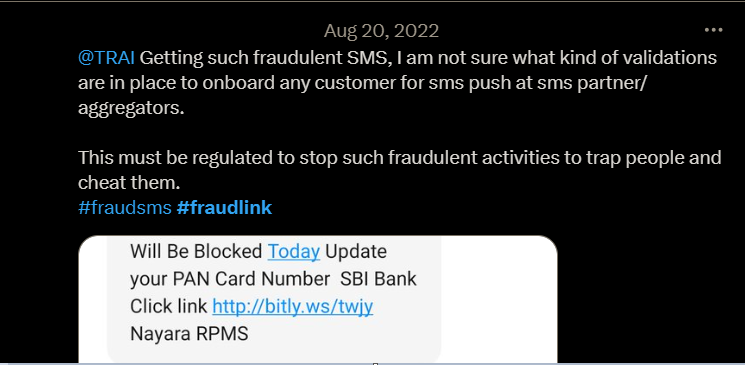
- You have the option to search in many languages. We tried searching in Japanese, and the results show numerous screenshots of frauds that include links.
- You may also conduct a search by entering the name of a business or agency, such as a bank or a telecom provider, as they are more likely to be scammed.
3. Other Ways
- Other ways could be to look into different sites or forums where you can find the scams which are not discovered yet
- For the ones which are already discovered you can check the database on OpenPhish
Phase Two: Analysing the links
1. Virustotal 📎
- VirusTotal can be used to analyze URLs and websites to determine if they host any malicious content, such as phishing pages or malware distribution sites.
- Users can enter a website’s URL into VirusTotal for scanning.
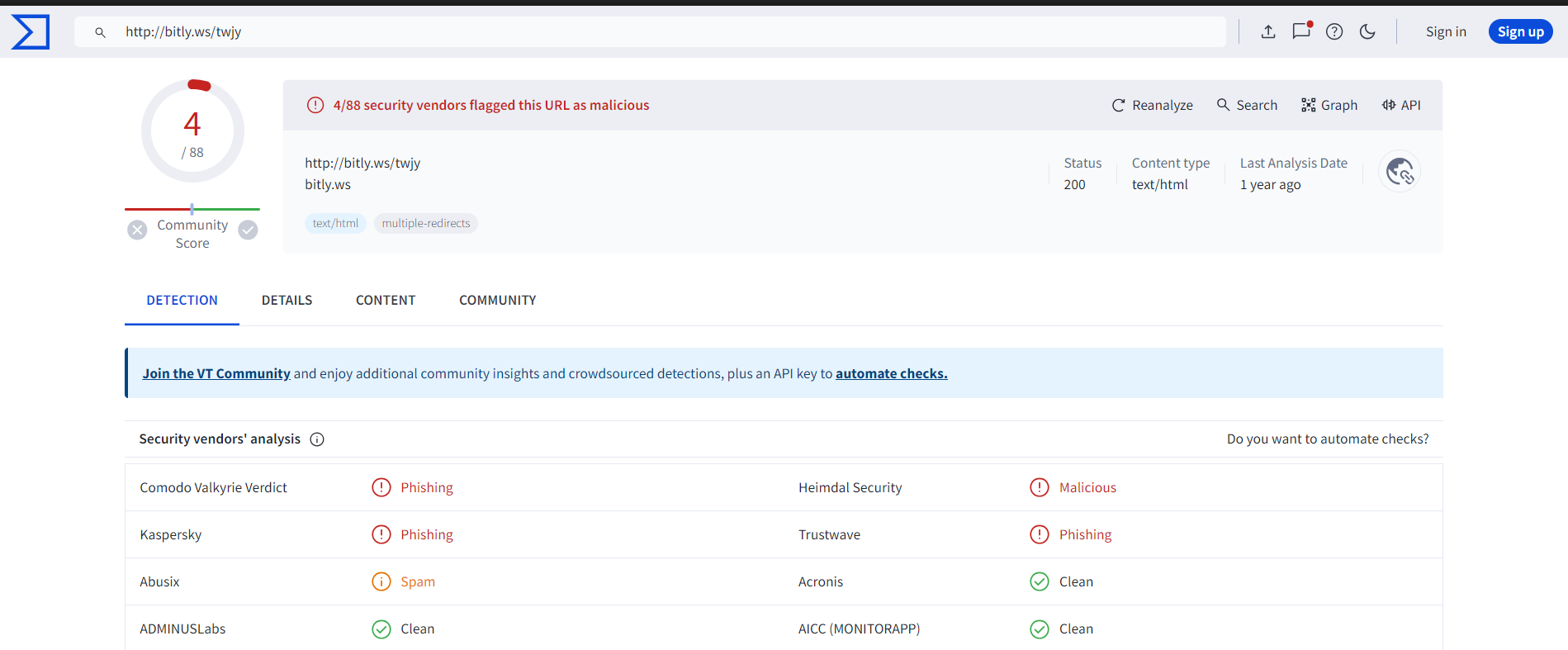
Note: No malicious activities does not mean it is not suspicious.
2. UrlScan 📎
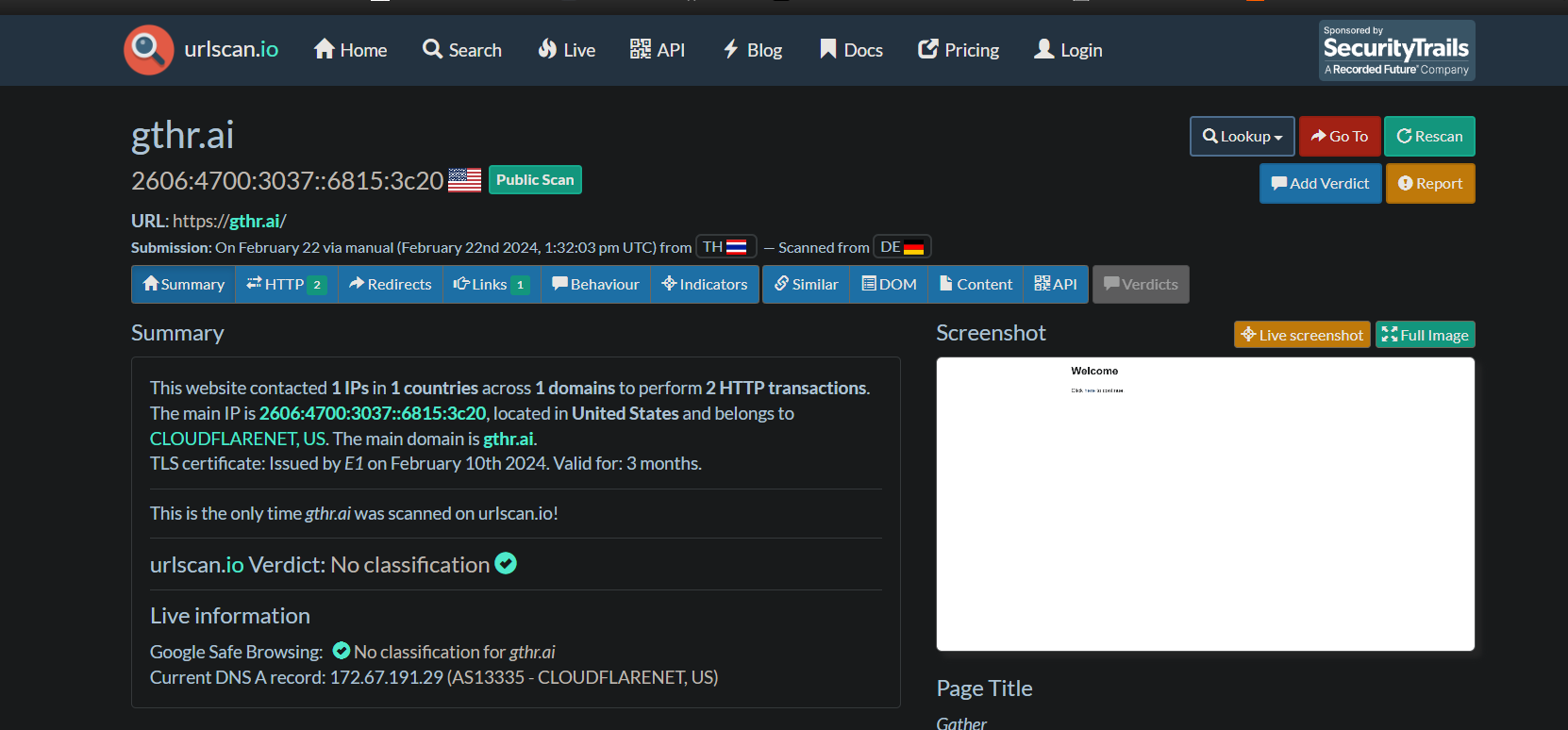
- Public scans can be performed on the suspected link
- As a result, you can also view the interface of the suspected link and interact with it
3. Browserling 📎
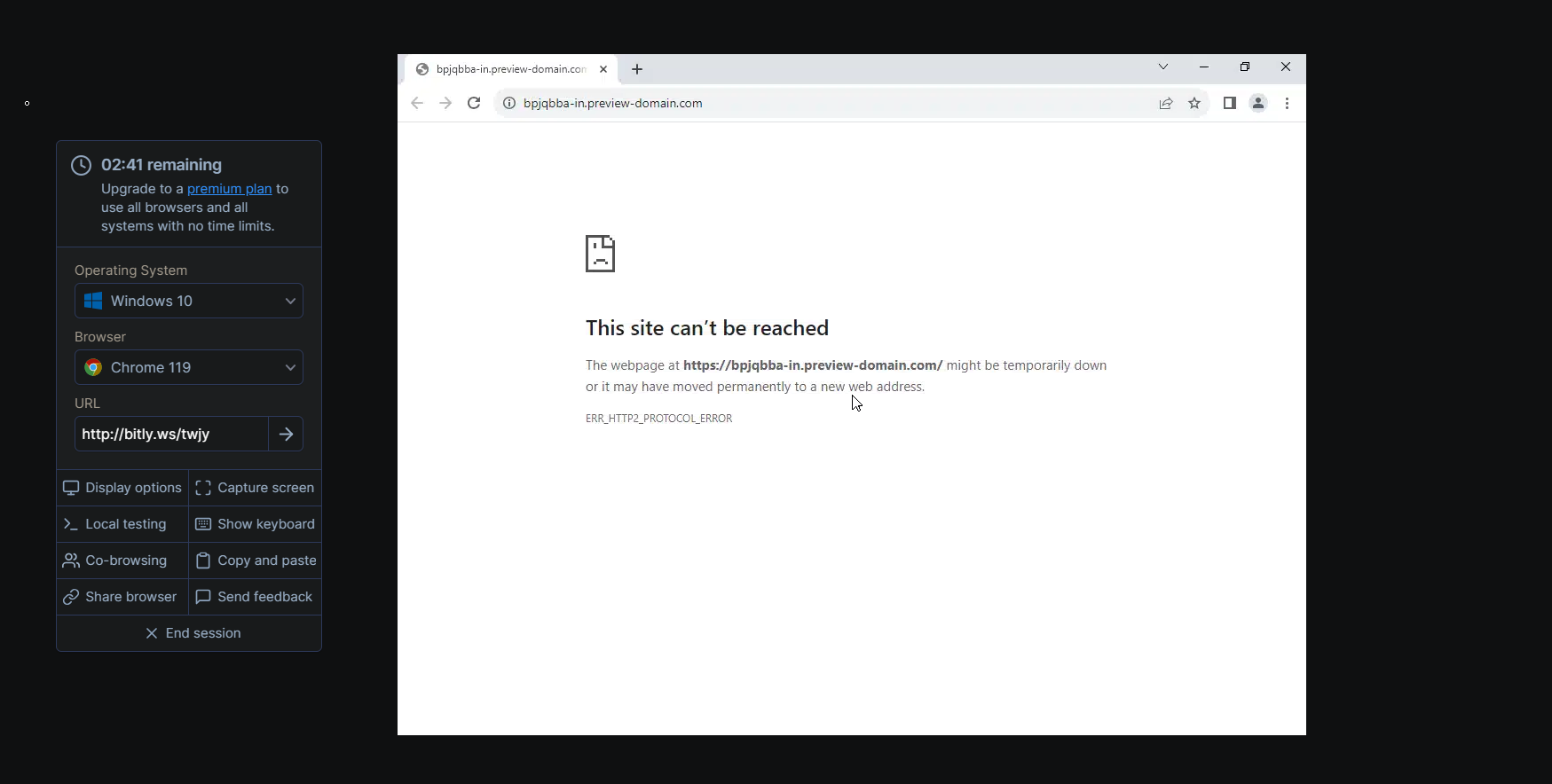
- Once more, this facilitates using the connection in a sandbox and seeing how it behaves in real time.
- However, it allows you to engage with the sandbox in addition to just watching.
- For instance, you can click on any link that the scam link displays and proceed to see what occurs.
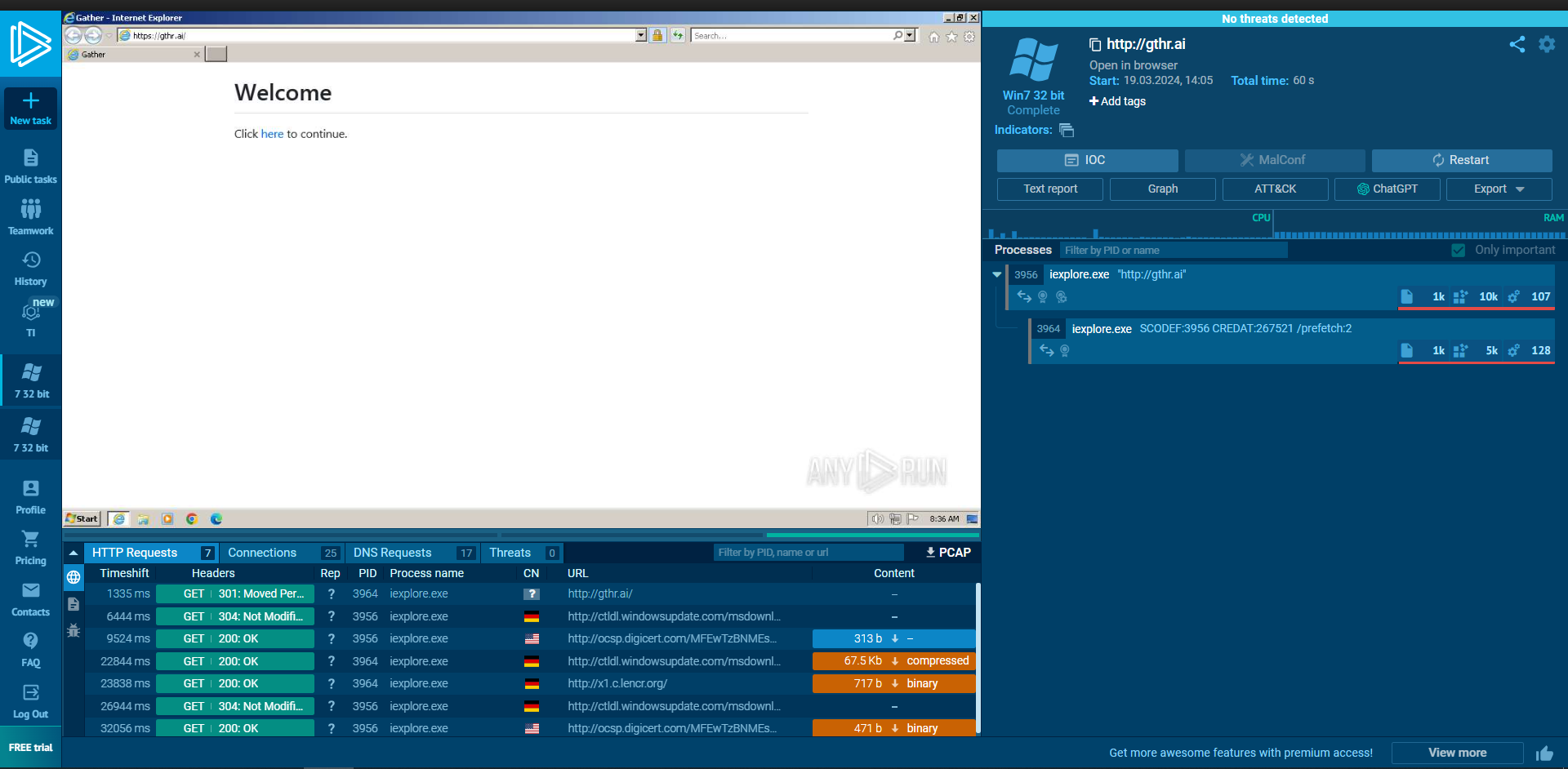
4. ANY.RUN 📎
- One important feature of this site is that you can run the instance of the scam link in a sandbox and observe the behaviour live
- You can also capture the network traffic sent or recieved by the link.
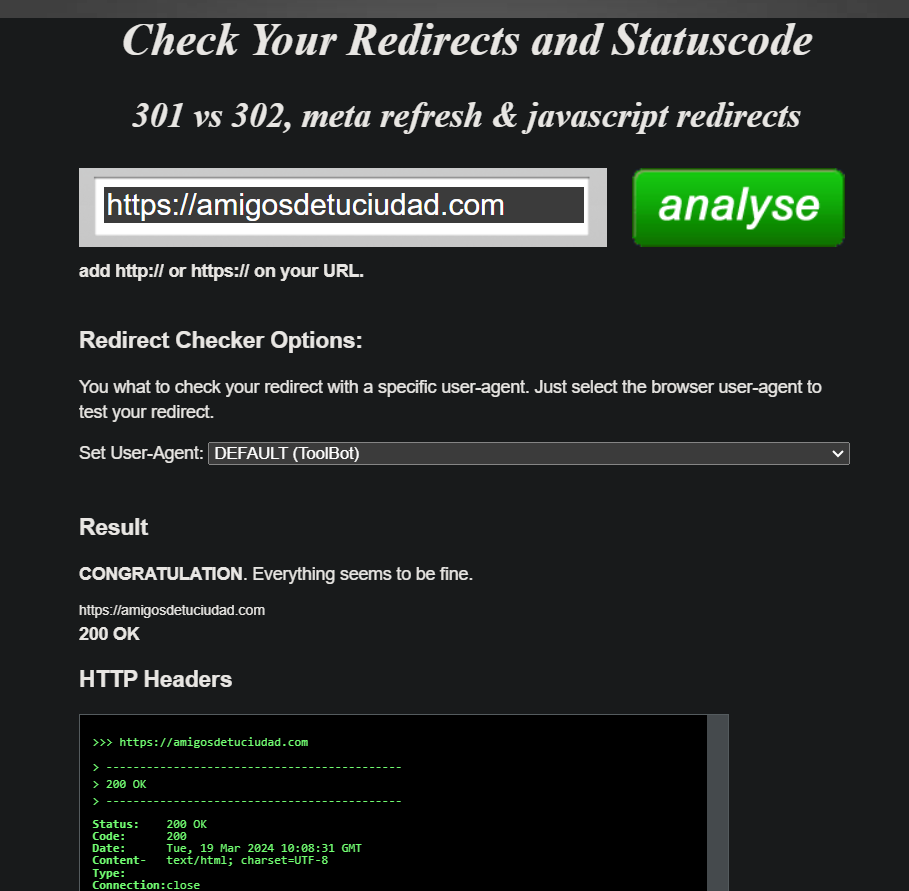
5. Redirect Checker 📎
- Checks if the link redirect you to some other site which might be the real malicious site
6. Link Unshortener 📎
- Some sites shorten the link to hide the real intention behind the links, so we can use this site to unshorten the link.
- It also provides you with the title and description tags of the target web page, a screenshot of the target website, safety ratings provided by Web of Trust and will alert you if the website is found in the HPHosts blacklist.
One can use virustotal to search for the link’s relatives or similar sites, because the current link might have been deactivated but it’s redirected link or the link from it’s family might still be active and that can we used to analyse the behaviour of the given link.
Reverse Engineering the Code
The source code of the suspected link can be analysed and reverse engineered to find out the traces of malicious activities. Few things to keep in mind while analysing the source are:
- If it is highly obfuscated
- If it restricts any keyboard shortcut like Ctrl+C or Ctrl+V for copy and paste
- Check if it restricts you from right clicking on the website, that is to avoid you from accessing the inspect page although the keyboard shortcuts exist.
- If it redirects you to some other link
Further References
Ciao !!
- Title: Scam Hunting by Lena Yu
- Author: Sejal Koshta
- Created at : 2024-03-01 12:56:29
- Updated at : 2024-08-07 22:43:50
- Link: https://k1n0r4.github.io/2024/03/01/Scam-Hunting-by-Lena-Yu/
- License: This work is licensed under CC BY-NC-SA 4.0.